All ten of these can start this week. Each one comes with a prompt you can paste straight into ChatGPT, Claude or Gemini. You don’t need all ten — start with whichever one is eating your week.
1. Daily life admin digest
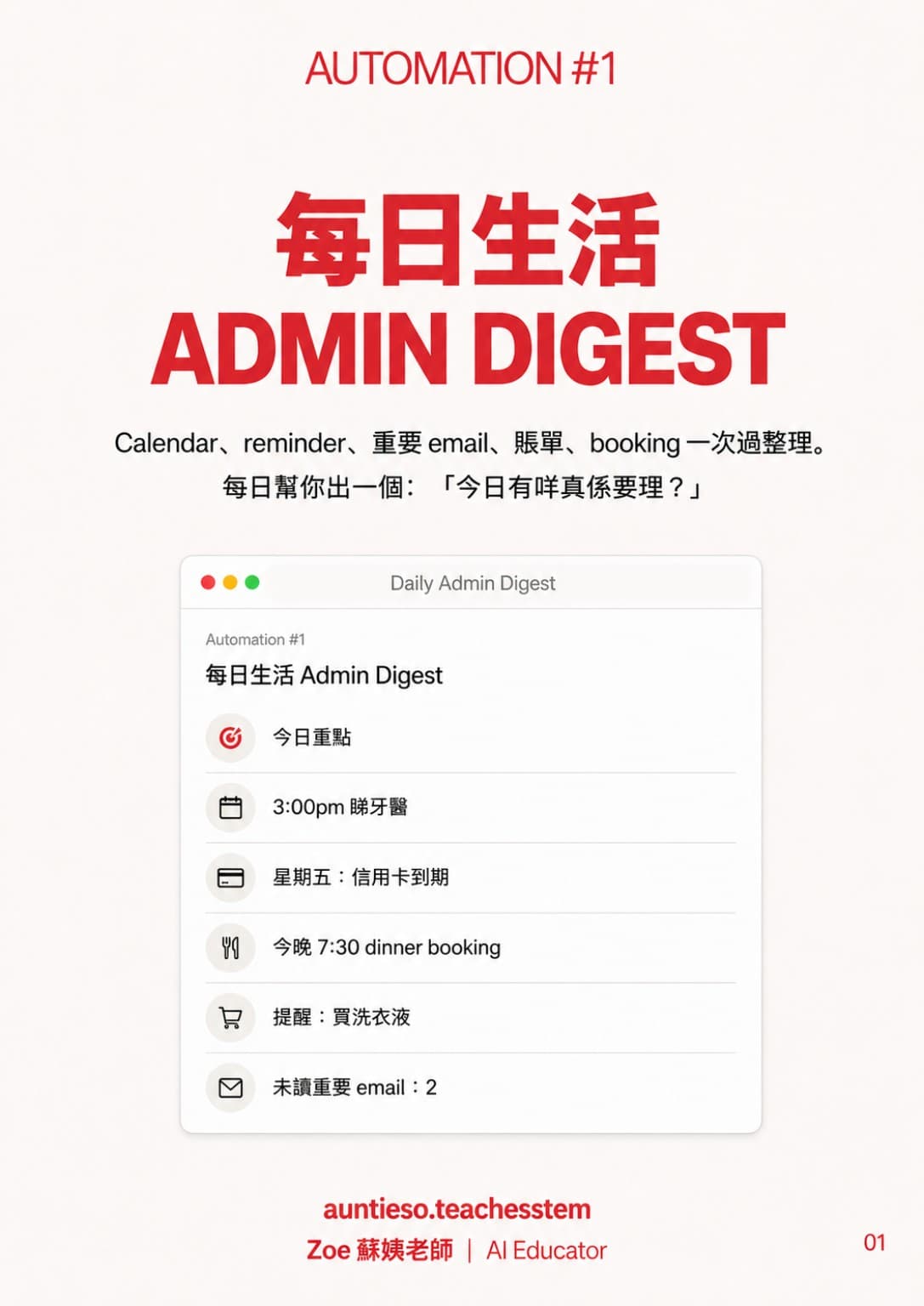
Calendar, reminders, important email, bills and bookings in one place, and a daily answer to "what actually needs handling today?"
You are my life-admin assistant. I'll paste today's calendar, unread important emails, bills and bookings.
Give me a "what actually needs handling today" list — five items maximum, ordered by urgency, each with a time to do it and how long it takes.
Anything that isn't urgent, just tell me to ignore it today.
(Paste today's schedule / email subject lines / to-dos)
2. Meal planning and the shopping list
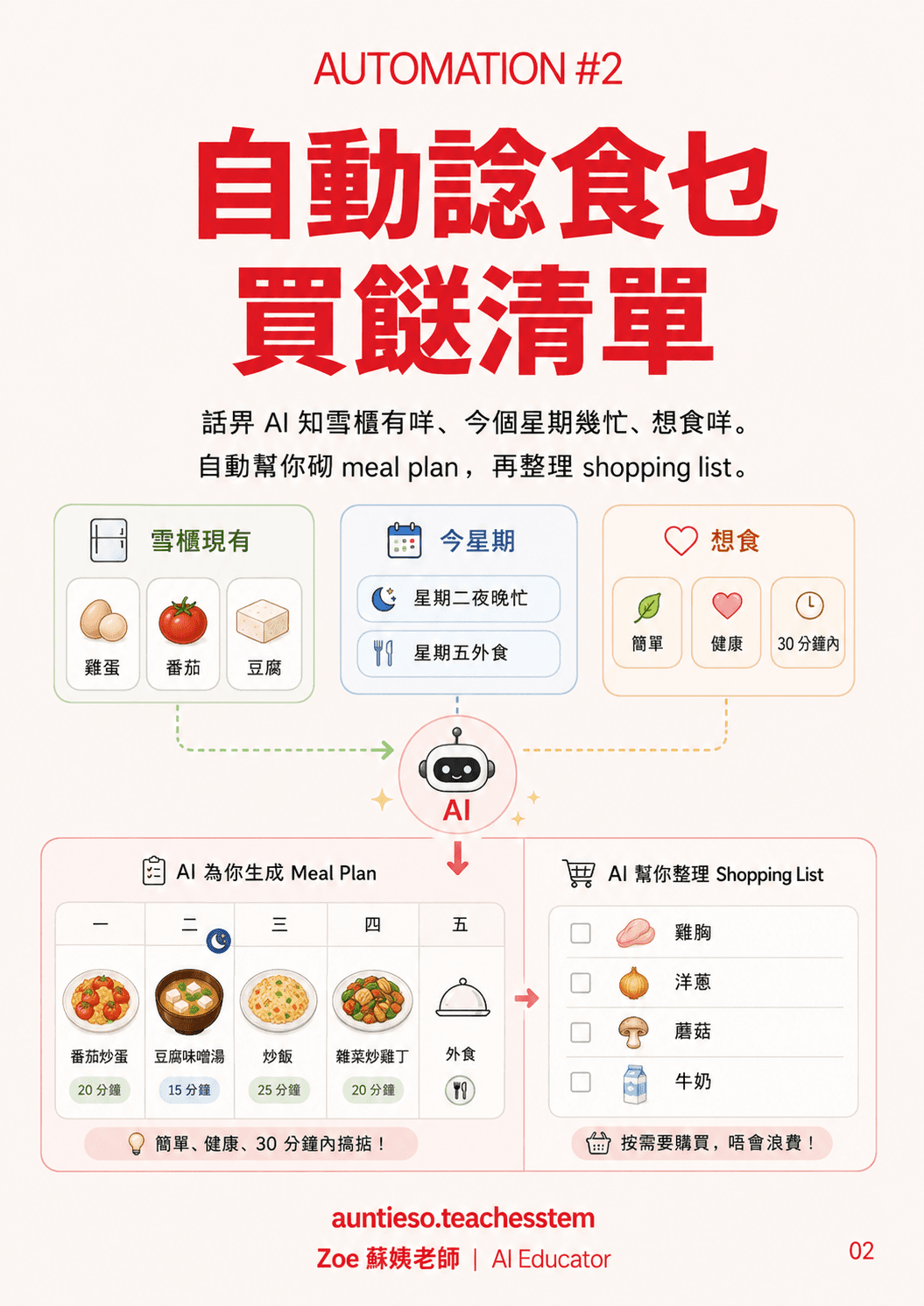
Tell the AI what’s in the fridge, how busy the week is and what you feel like eating. It plans the meals and writes the shopping list.
Plan my meals for this week.
In the fridge: [list what you have]
This week: [which nights are busy, which are eating out]
Rules: simple, healthy, done in 30 minutes.
Give me Monday to Friday, then a shopping list. Don't make me buy the same thing twice.
3. Subscription and spending check
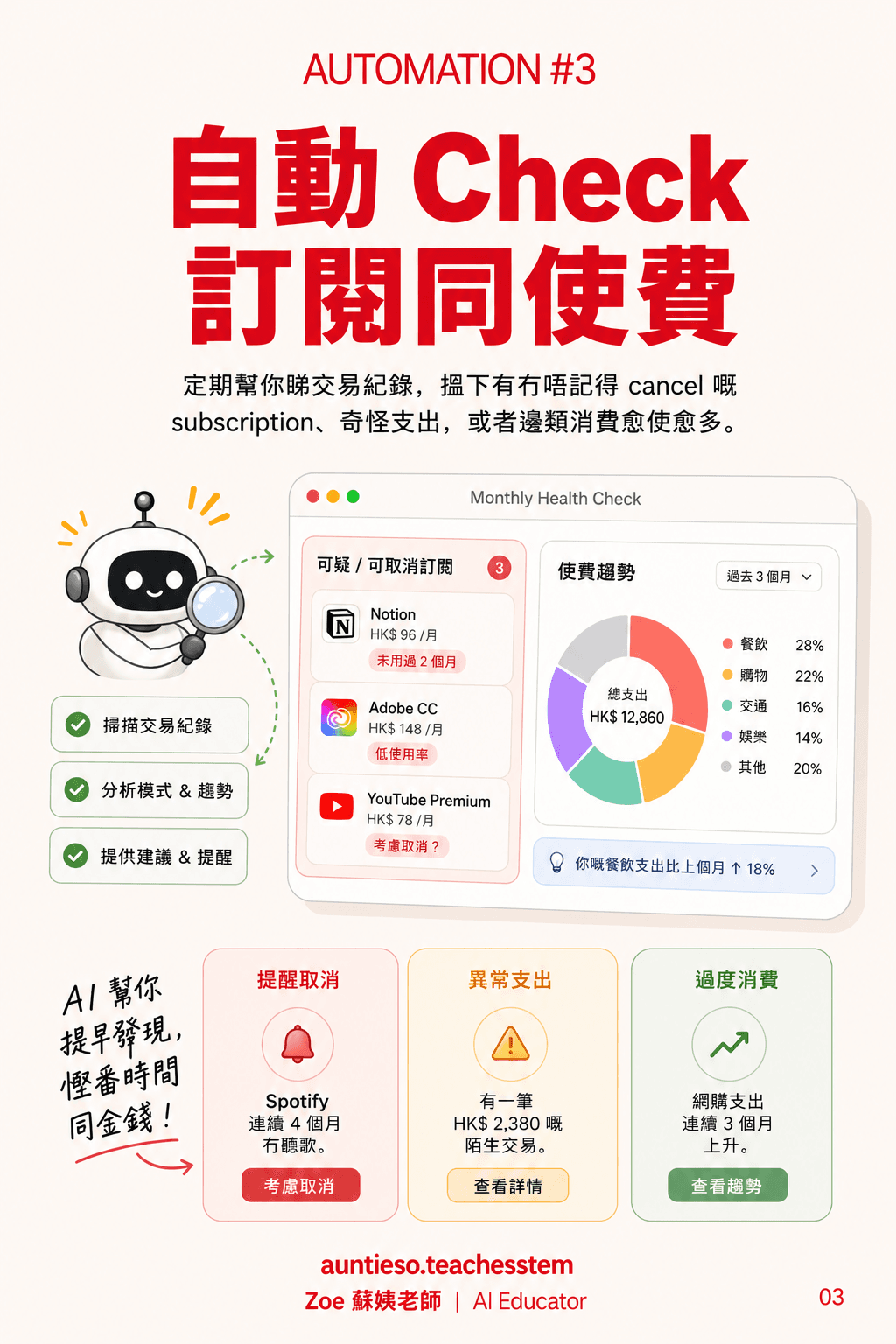
A regular pass over your transactions for subscriptions you forgot to cancel, charges you don’t recognise, and categories that keep creeping up.
I'll paste three months of credit card and bank transactions. For me:
1. Find every recurring subscription, and flag the ones I clearly haven't been using
2. Mark anything unusual, or that I wouldn't recognise
3. Group my spending (eating out, shopping, transport, entertainment) and tell me which category is creeping up
Finish with three specific ways to cut costs — not "eat out less".
(Paste the transactions)
4. Trip prep assistant
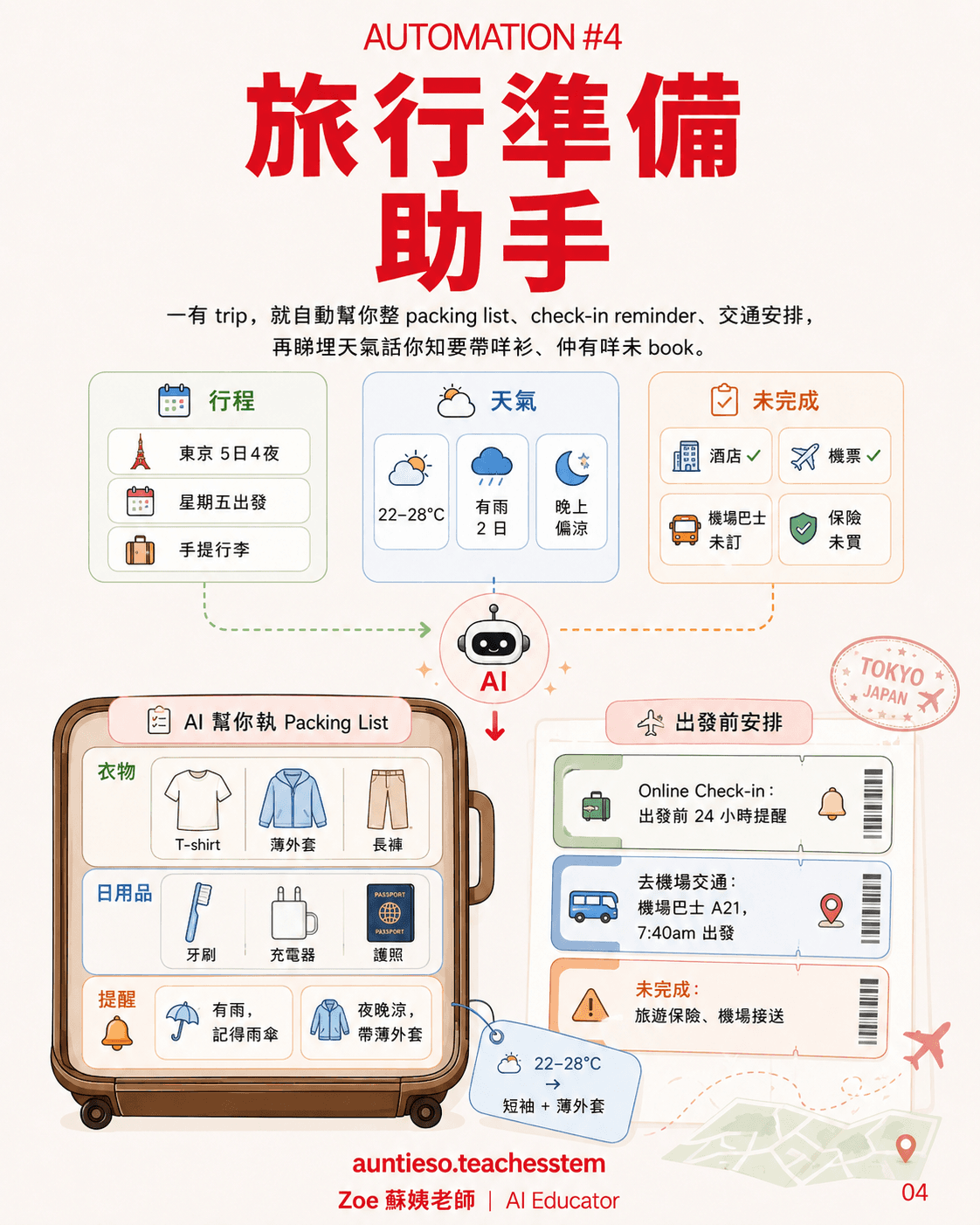
Every trip gets a packing list, check-in reminders and transport, built around the forecast — plus what you still haven’t booked.
I'm going to [place] on [date] for [how many] days, [carry-on only / with checked bags].
For me:
1. Check the weather for those dates and build the packing list around it
2. List what I need to do before departure and when (online check-in, airport transport, currency, SIM)
3. Ask me what I still haven't booked
Skip the generic list — only what I actually need to pack and do for this trip.
5. A "life inbox"
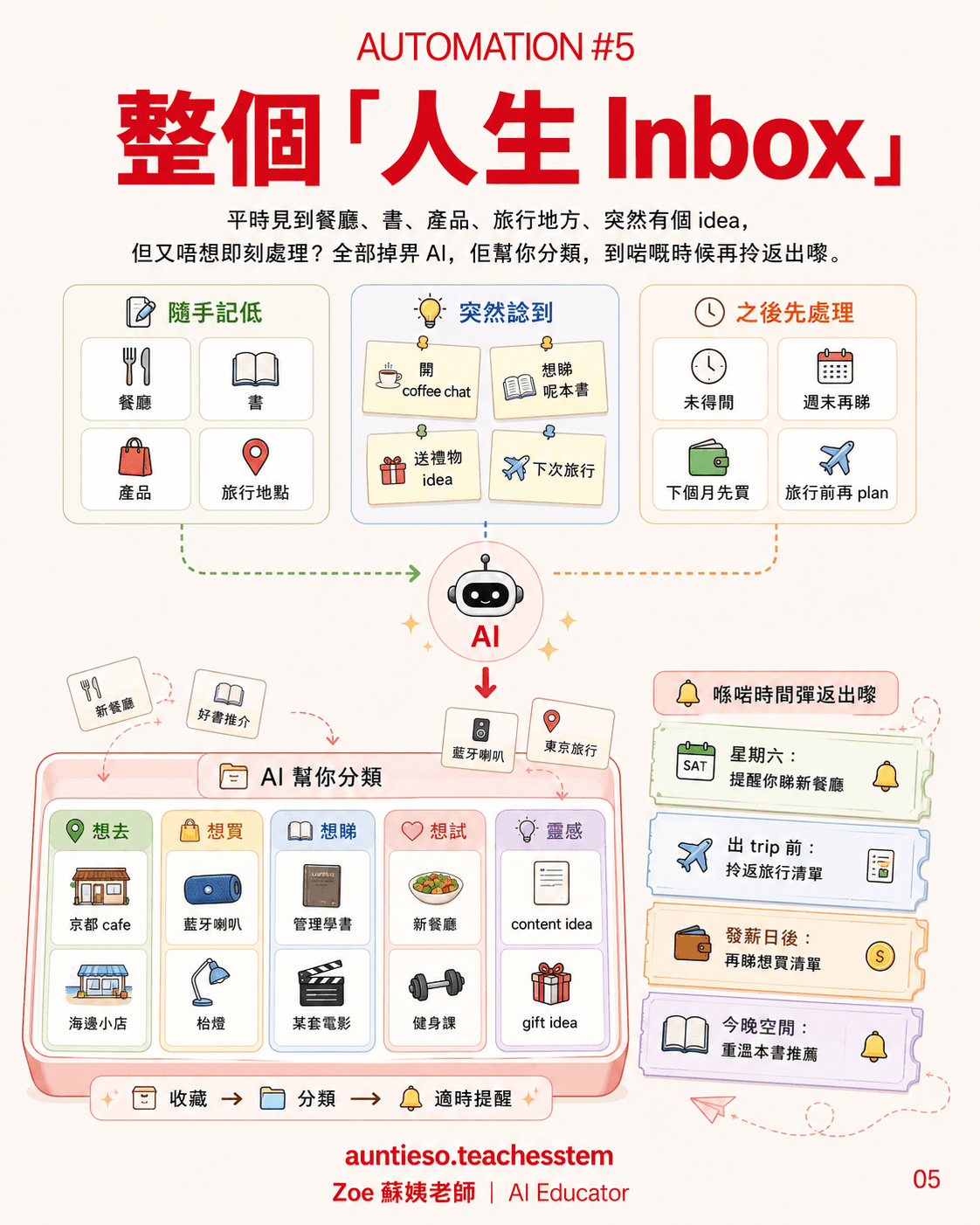
Restaurants, books, products, places you want to go — throw them at the AI, let it file them, and get them back when the moment is right.
From today, you are my "life inbox".
I'll throw things at you as I come across them: restaurants, books, products, places I want to go, ideas that pop into my head.
Each time, do exactly three things:
1. File it (want to go / want to buy / want to read / want to try / idea)
2. One line on what it is
3. Tell me when it's worth resurfacing (weekend, before a trip, after payday, a free evening)
Don't tell me to act on it now. The whole point is that it comes back at the right time.
6. Parcel tracker
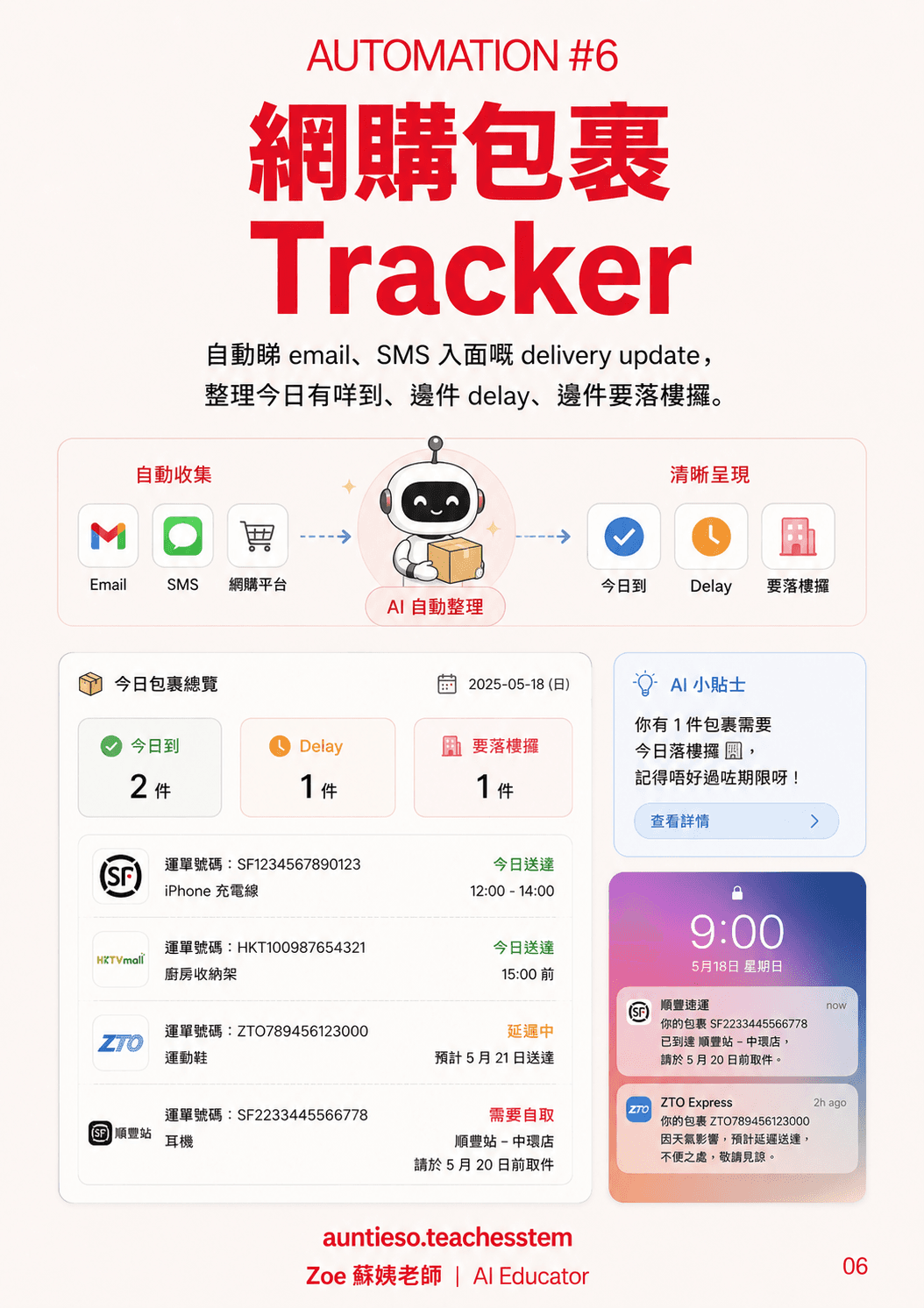
Reads the delivery updates buried in your email and texts: what arrives today, what’s delayed, what needs collecting downstairs.
I'll paste my delivery emails and texts. Build me a parcel summary for today:
- Arriving today
- Delayed, with the new estimated date
- Needs collecting downstairs or at a pickup point, and the deadline to collect
Tracking number and what it is, per parcel — don't copy the notification back at me.
(Paste the notifications)
7. A memory for home maintenance
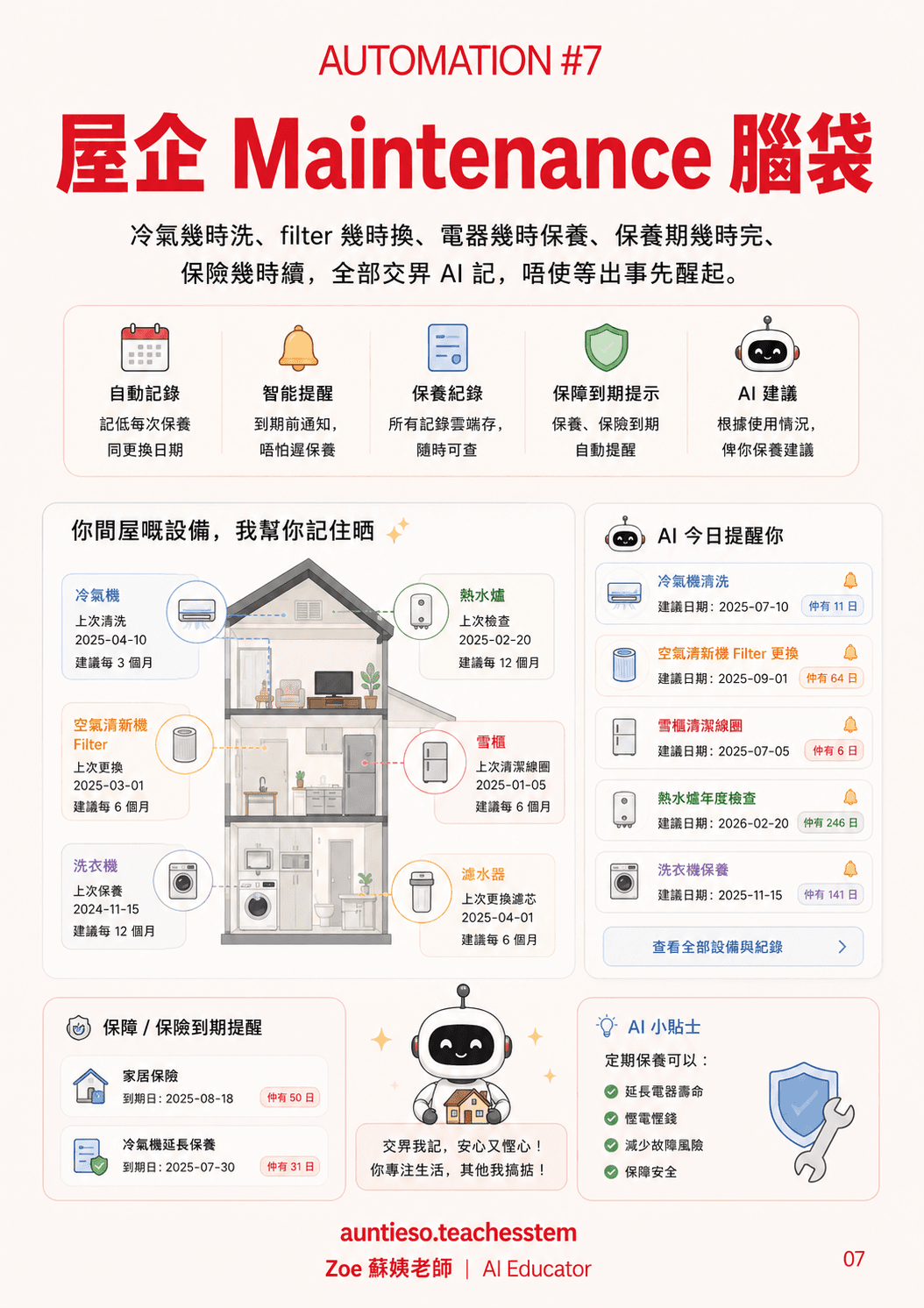
When the air conditioner was last cleaned, when the filter is due, when the warranty ends, when the insurance renews — remembered before something breaks.
Build me a home maintenance schedule.
I have: [air conditioner, washing machine, fridge, water heater, water filter, air purifier…]
Last serviced: [whatever I can remember]
Warranty / insurance expiry: [dates]
Give me a table: what each one needs next, when to do it, how often it repeats.
Then list what's coming in the next three months, so I find out before something breaks.
8. A personal learning coach
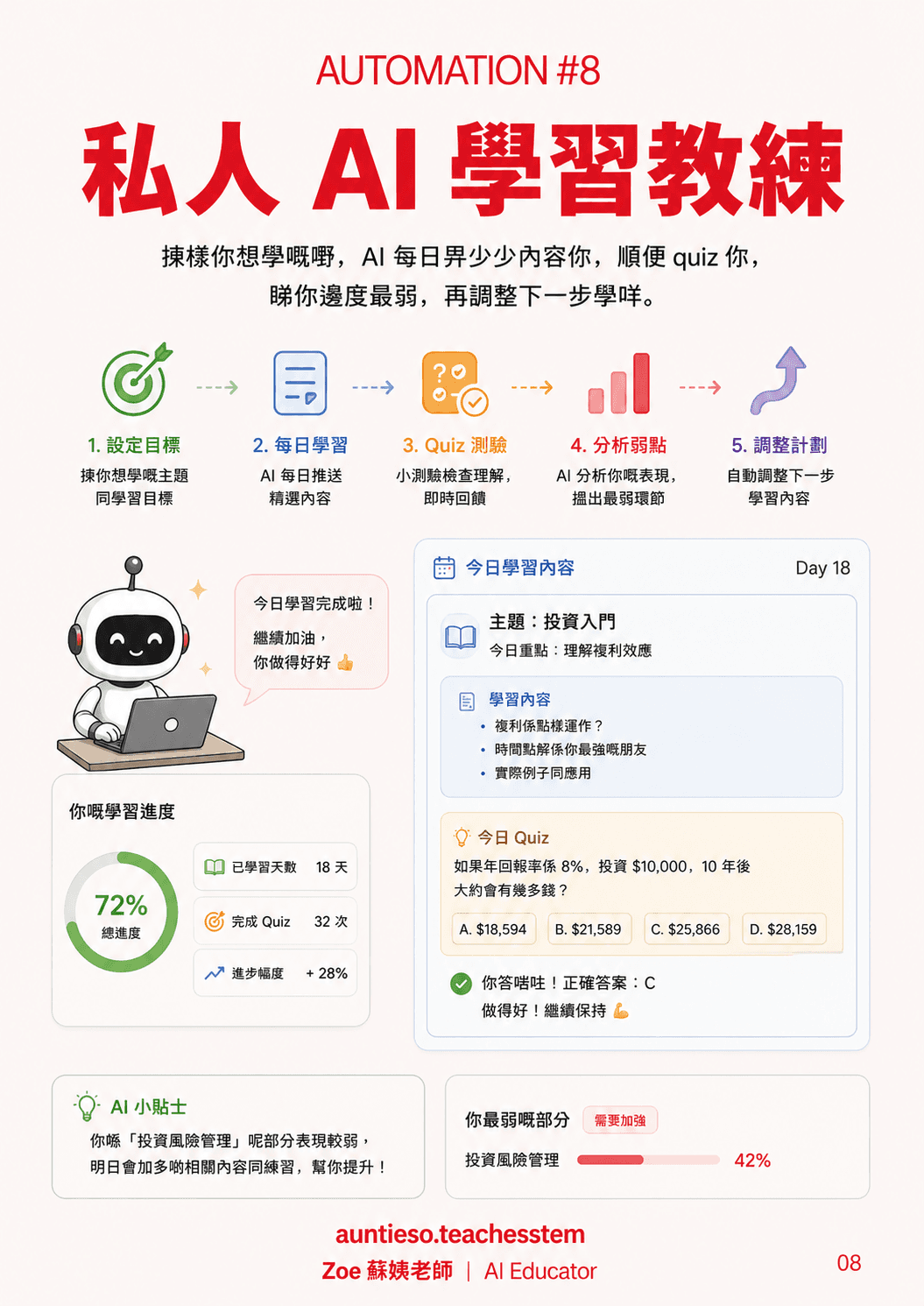
Pick something you want to learn. A little content each day, a quiz to go with it, and tomorrow adjusts to whatever you got wrong.
You are my personal learning coach. I want to learn [topic], about [15] minutes a day, so that I can [what you'll use it for].
Every day, give me:
1. One short piece of content I can read in five minutes
2. Three quiz questions
3. After I answer, tell me where I'm weakest and cover that tomorrow
Start with day 1 today.
9. Photos and memories, sorted

Photos, notes, calendar and trips turned into a monthly highlight: "what actually happened this month?"
I'll paste this month's calendar, notes and trip records.
Write me a "what actually happened this month":
- Three to five highlights
- Where most of my time actually went
- Anything worth remembering that I nearly forgot
Write it the way a friend would say it, not like a report.
10. A weekly life review
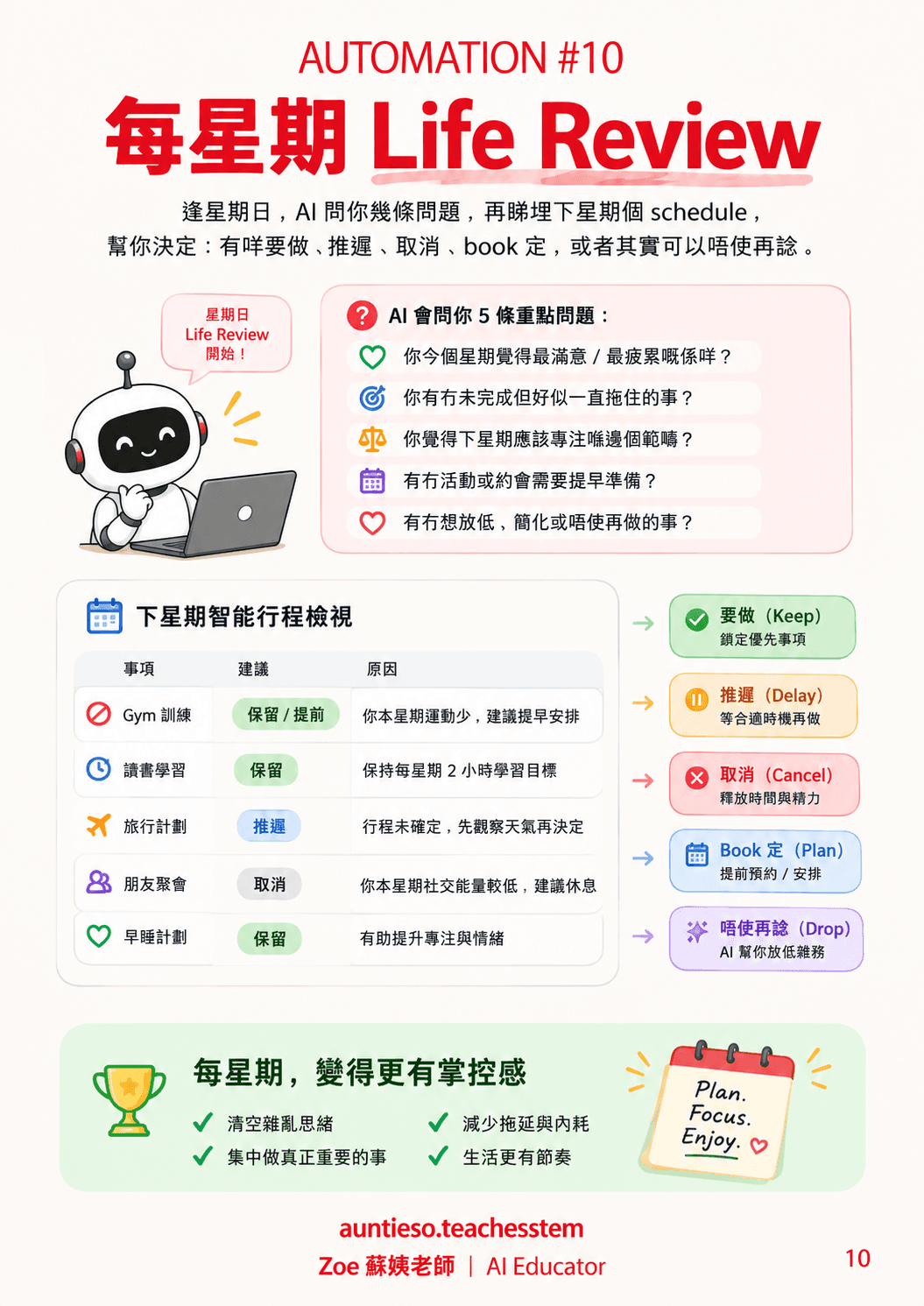
Every Sunday, a few questions and a look at next week’s schedule — then what to do, delay, cancel, book now, or stop thinking about.
Run a life review with me every Sunday.
Start with these five questions, one at a time — wait for my answer before the next one:
1. What was the best and the most draining part of this week?
2. What have I been putting off?
3. What do I most want to focus on next week?
4. What needs preparing in advance?
5. What can I actually drop?
Then I'll paste next week's schedule, and you sort every item into: do it, delay it, cancel it, book it now, or stop thinking about it — one line of reasoning each.
Tip: Don’t start all ten at once. Take the one costing you the most time this week, run it for seven days, and tune the wording as you go before adding another. One automation you actually keep beats ten you tried once.
