
Save 12 hours a week ×Build your AI work leverage
A 6-module self-paced video course. Watch anytime — pause or rewatch whenever you need
480+ purchased
Open now — watch anytime
Course overview
Not more AI tools — a new way of working. AI tools keep changing, but the work itself doesn’t: research, organising, analysis, writing, communication, planning and reporting. This course shows you how to build AI into that everyday work. Every module comes with ready-to-use prompts, workflow templates, checklists and frameworks, and you practise on your own real work — so you finish with an AI work system of your own, not just a set of videos watched.
- Format
- 6 self-paced video modules (not live)
- Total video
- About 3 hours
- Access
- Lifetime access, rewatch anytime
- Software
- Nothing to install — log in with your email and watch in your browser
- What you learn
- Prompts, workflows, connected AI
- Materials
- Ready-made prompts, templates, checklists
- Payment
- One-time fee
 Zoe Wong10+ years teaching · ex-Fortune 500 tech
- 30k+ followersOrganic growth in 6 months · Gemini Certified Educator





01Is this course for you?
You can use AI — but can you work with it? The problem isn’t that you don’t know AI. It’s that nobody has shown you how to hand real work to it.
It’s for you if you’ve thought:
- “I use AI, but only now and then.”
- “I’ve watched plenty of AI tutorials, but back at work I don’t know how to apply them.”
- “I have lots of repetitive work, but I can’t tell which parts AI could take.”
- “AI’s answers are brilliant one day and useless the next.”
- “I don’t want to keep chasing new tools.”
It may not be for you if:
- You mainly want to learn AI engineering or coding Want to build an app? Low-risk side project × AI leverage
- You just want to collect “100 magic prompts”
- You don’t plan to use any of it in your real work
- You’re looking for a way to let AI replace human judgement entirely
02What you’ll learn
No tool-by-tool tour. Each module starts from a work situation you meet every day, teaches one method, gets it done with AI, and leaves you with something you can use straight away.
- Situation
- Method
- AI in action
- Result
01Module 1 · BasicsPromptingAbout 30 minTurn a question into work AI can actually doWrite one instruction and get a usable first draft — not a generic answer.
- 1SituationYour manager says: “Can you look into our competitors?”
- 2MethodSpell out the role, goal, constraints and output format
- 3AI in actionAI produces a first round of research to your brief
- 4ResultA first draft that doesn’t need a rewrite

You’ll do:
- See why ordinary prompts get ordinary answers
- Write a work brief with role, goal, constraints and output
- Turn a vague request into a clear task
- Stop AI from guessing
You take away
Work-brief template + ready-to-use prompts
02Module 2Context · IterationAbout 30 minHelp AI understand your work — and improve each roundAI remembers your format, tone and standards, so you stop re-explaining.
- 1SituationAI writes something, but it doesn’t sound like your company
- 2MethodGive background, examples and standards, then refine step by step
- 3AI in actionAI follows your AI Memory and examples
- 4ResultConsistent output, no more luck of the draw

You’ll do:
- Build your AI Memory: what you do and the formats you need
- Use examples to show AI what “good” looks like to you
- Iterate with AI instead of starting over each time
- Check sources and handle made-up content
You take away
AI Memory template + AI output review checklist
03Module 3Loop EngineeringAbout 30 minBreak a big job down and let AI work through it step by stepWork one prompt can’t finish, split into steps AI does well.
- 1SituationA market analysis: research, comparison, analysis, first draft
- 2MethodSplit the steps; design “AI does → check → fix” for each
- 3AI in actionAI runs each step, and each output feeds the next
- 4ResultA complete analysis of consistent quality

You’ll do:
- Break down a complex piece of work
- Tell which steps suit AI and which need a person
- Design input → process → output
- Add human review checkpoints where they matter
- Stop AI taking on too much at once and losing quality
You take away
Task-breakdown framework: competitor research → comparison → insight → recommendation
04Module 4Reusable WorkflowsAbout 30 minDo it well once, reuse it every timeWeekly reports, meeting summaries, customer feedback — next time, just swap the data.
- 1SituationThe weekly report and meeting summary you redo every week
- 2MethodSave what worked as instructions + templates + standards
- 3AI in actionNext time, change the input and AI runs it again
- 4ResultOne set of data becomes a report, a deck and an email

You’ll do:
- Turn something that worked into a reusable workflow
- Turn one source into several outputs
- Cut down on copy and paste
- Make repetitive work semi-automatic
You take away
Reusable workflow templates: weekly report + meeting summary
05Module 5 · AdvancedMCP · Connected AIAbout 30 minLet AI work directly in your email, documents and spreadsheetsNo more copying things across one by one — AI works inside your tools.
- 1SituationInformation scattered across Gmail, Docs and Sheets, moved by hand
- 2MethodConnect AI to the tools you already use
- 3AI in actionAI reads, organises and writes back into your documents
- 4ResultFrom source material to first draft, no copy and paste
You’ll do:
- Understand how connected AI differs from a chat
- Connect everyday tools like Gmail, Docs and Sheets
- Handle long tasks and large amounts of information
- Judge what shouldn’t go into AI, and how to treat sensitive company data
You take away
A workflow connected to your everyday tools
06Module 6 · AdvancedSkills · AI work systemsAbout 30 minBuild your own AI work systemPick a piece of work you really have to do, and redesign it.
- 1SituationA real task you do often
- 2MethodDefine → break down → delegate → review → reuse
- 3AI in actionPackage instructions, AI Memory and templates into skills AI can use anytime
- 4ResultAn AI work system of your own
You’ll ask:
- What is the real outcome of this work?
- Which steps must I do, and which can AI take?
- What AI Memory does AI need?
- How do I judge whether the output is good?
- How do I avoid starting from zero next time?
You take away
Not just notes. You’ll have an AI work system built on your own work, including:
- Task breakdown
- Reusable instructions
- AI Memory
- Templates
- Review standards
- Human checkpoints
- A complete workflow
It becomes the blueprint for every AI workflow you build after it.
BonusUsing AI fast — and using it rightPrivacy, verification and responsible use
Using AI well takes more than prompts. You also need to know:
You’ll do:
- What shouldn’t go straight into AI
- How to handle sensitive company data
- How to verify important facts
- How to check sources
- Which decisions shouldn’t be left to AI
- How to keep human judgement in the loop
The goal isn’t to hand everything to AI. It’s knowing where to use it — and where not to.
03The same job, two ways
AI doesn’t think for you. It takes over the many steps you used to do by hand.

Your manager suddenly says: “Research five competitors and give me an analysis this afternoon.”
The traditional way
≈ 6–8 hours- Search online
- Open 10–20 tabs
- Dig up each company
- Copy into notes / a spreadsheet
- Compare by hand
- Look for patterns
- Write a summary
- Draft recommendations
The AI way
≈ 1–1.5 hours- AI gathers information
- Organises sources
- Compares 5 companies
- Finds patterns
- Writes a first analysis
- You review, judge and correct
For a 10-page report or deck; an estimate that depends on the topic and the amount of material. Most of the time in the AI way is yours, spent reviewing and judging.
04What attendees say
Messages Zoe received after her last talk.
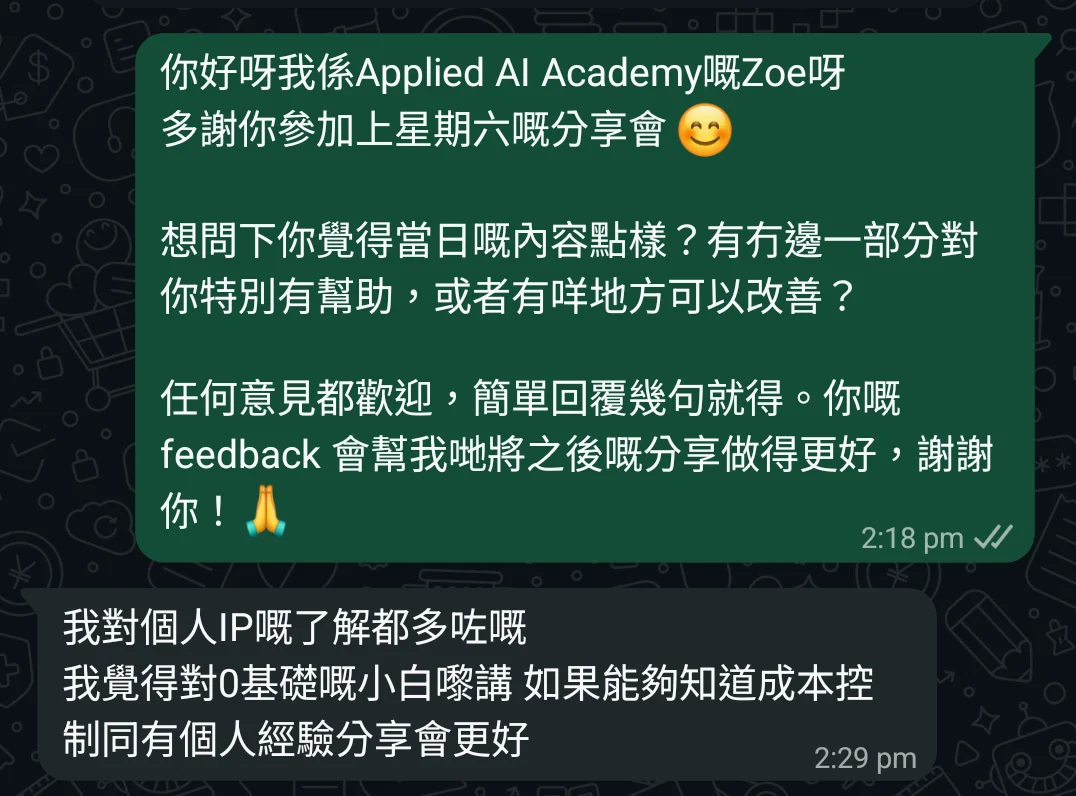 WhatsApp · talk attendee
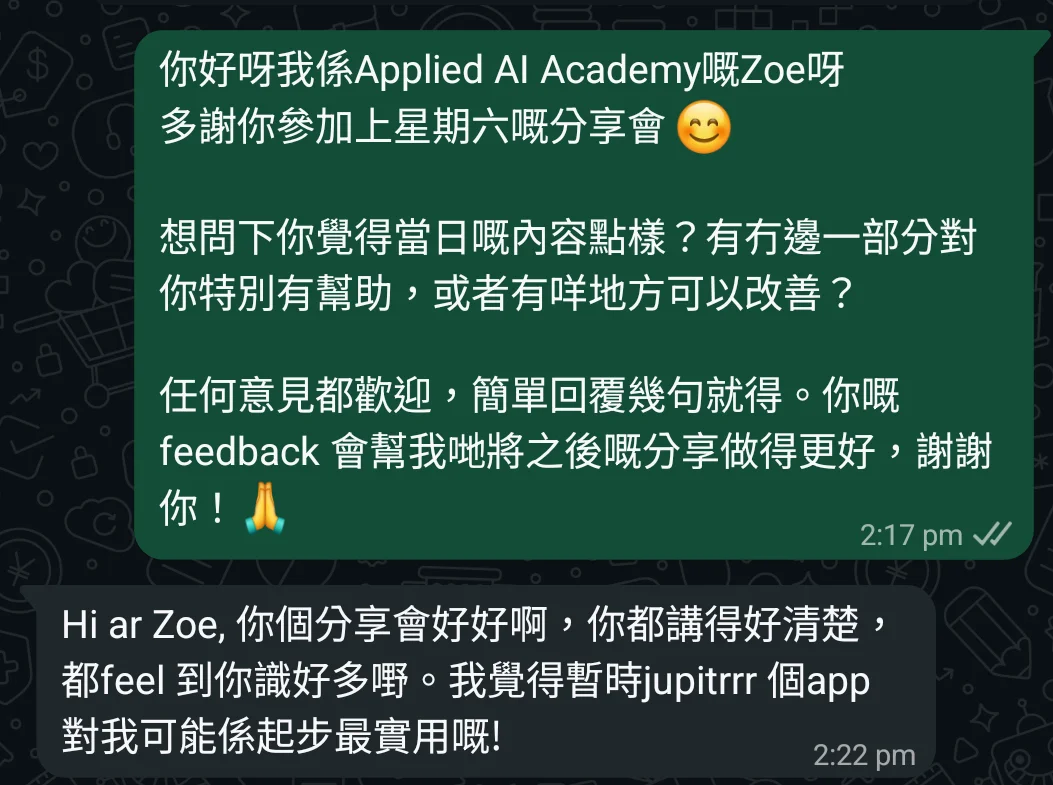 WhatsApp · talk attendee
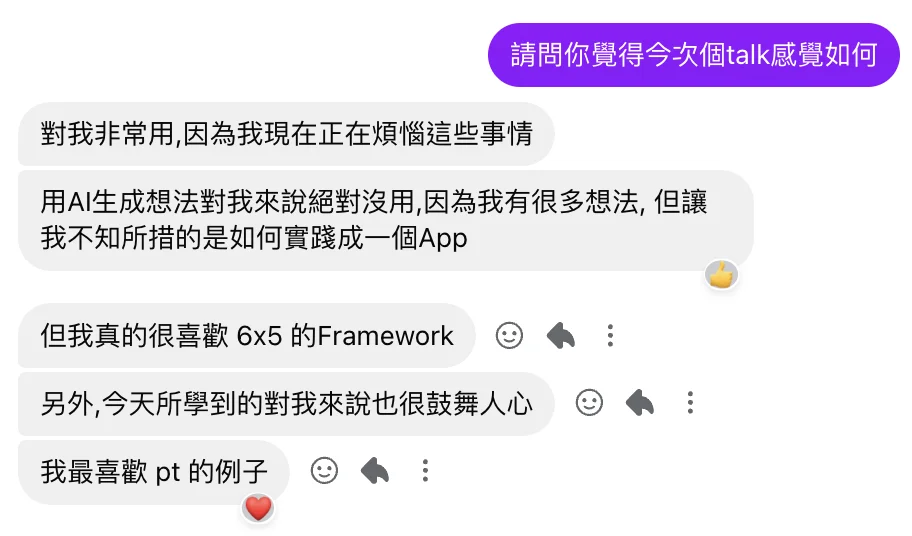 Messenger · talk attendee
Screenshots of WhatsApp and Messenger messages from attendees after the talk, unedited (in Cantonese).
05Your instructor
We didn’t design this course around “What can AI do?” We started from “What work do people actually have to get done every day?”
Zoe Wong
Co-founder & CEO, Applied AI Academy
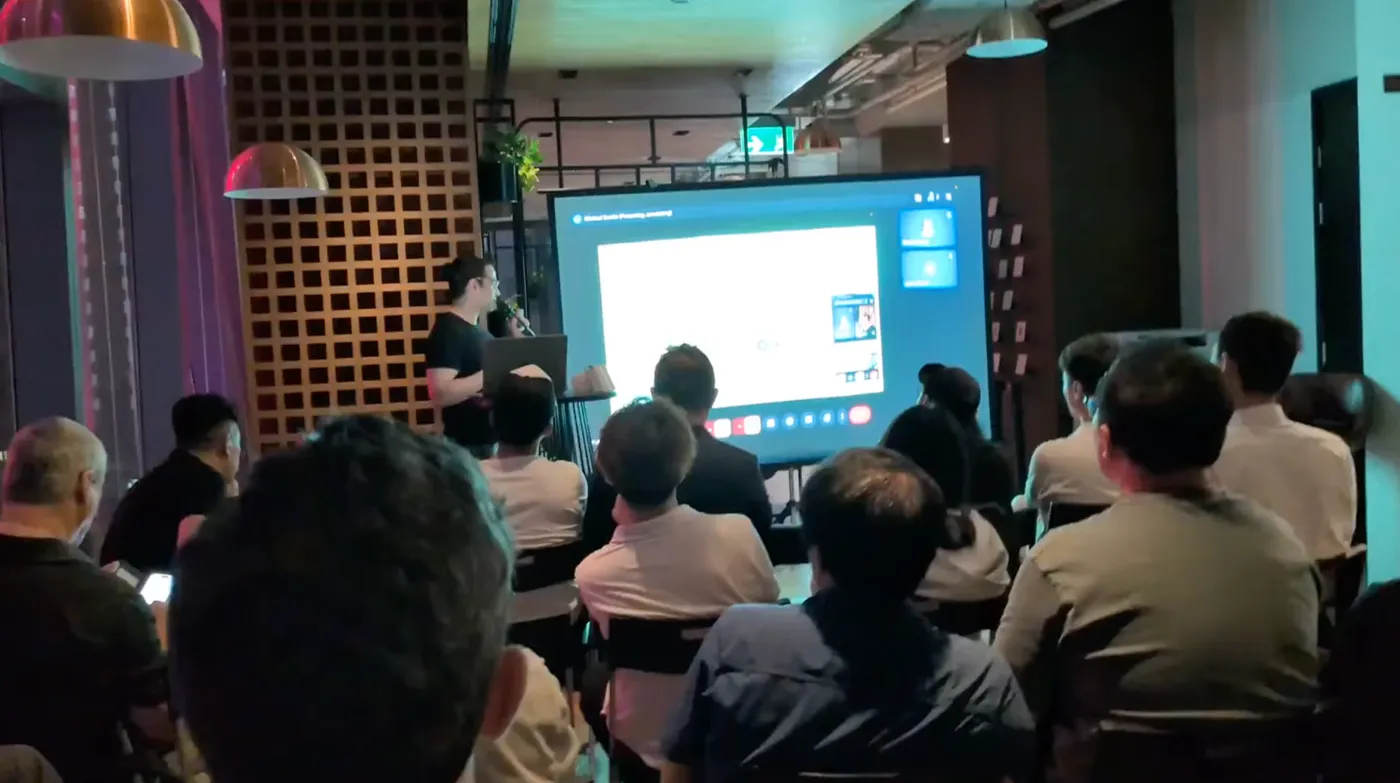
- 10+ years of classroom teaching · CUHK teaching award · one of Hong Kong’s first AI educators
- Runs AI workshops for companies, schools and communities — and has seen every reason “I learned it but can’t use it”
- Uses AI every day for content, product, research and operations
You’re not buying 6 AI lessons.You’re buying back your time.
6 self-paced video modules (in Cantonese) · ready-to-use prompts, templates and checklists · hands-on practice in every module · WhatsApp feedback from the instructor · learn at your own pace, watch anytime
No long study sessions — start with your next real task.
Open now — watch anytime · AI subscriptions not included

06FAQ
What people ask before enrolling.
How does the course work?
Six self-paced video modules, from basic to advanced. Learn at your own pace, watch anytime, and pause or rewatch whenever you need. Every module has hands-on practice on your own real work, plus ready-to-use prompts, workflow templates, an AI Memory template, review checklists and a task-breakdown framework.
I can’t code. Can I take this course?
Yes. This isn’t a coding course. If you write emails, research, prepare documents and decks, or work with data, you already have enough background.
I already use Gemini / ChatGPT. Is it still for me?
Yes. It may suit you best: people who already use AI but feel their use is scattered. The course isn’t about how a particular app works — it’s about moving from using a tool to designing AI workflows.
AI moves so fast. Won’t the course go out of date?
AI tools keep changing, but the work doesn’t. So the course doesn’t have you memorise one tool. It teaches you to break down work, give AI context, define the result, verify answers, design workflows and decide who does what between you and AI — skills that still hold when the tools change.
Which AI tool do you use? Do I need ChatGPT?
No. The course demonstrates mainly with Google Gemini, which works in Hong Kong and can be started on the free plan, alongside the Gmail, Docs and Sheets you already have; NotebookLM is used for organising material. ChatGPT isn’t officially available in Hong Kong and many companies block it, so the course doesn’t depend on it — the method works the same in ChatGPT, Claude or any AI tool.
Can I put company data into AI?
Not all data should go into a public AI tool. A mature way of working with AI includes knowing what data you can use, how to remove sensitive details, how to follow company policy, and which steps need human review. Knowing when not to use AI is part of AI literacy.
When does it start? Do I have to attend at a set time?
The course opened on Saturday 17 October 2026. It isn’t a live class: you can watch at any time — there’s nothing to attend. Once you enrol, we’ll send you the course link and templates by WhatsApp / email.
How long is each module?
Each module’s videos run about 30 minutes — roughly 3 hours across all six — plus hands-on practice on your own real work. Watch a module in one sitting or in shorter parts.
How long can I rewatch the course?
For life — access doesn’t expire. Once the course opens, come back to any module whenever your work calls for it.
Do I need to install any software?
No software to install. Log in with the email you enrolled with and watch in your browser; the exercises run in the browser too. Most modules only need a free Google account for the Gemini and NotebookLM the course demonstrates. Module 5 shows AI connecting directly to Gmail, Docs and Sheets — that specific feature needs the paid Gemini AI Pro plan (about HK$158 / US$20 a month in Hong Kong); the course shows you how to subscribe, and one month is enough to complete that module.
If I get stuck with setup or anything else, can I ask?
Yes. Whether it’s account setup, using the tools or the course content, reach us on WhatsApp (+852 6016 3414) or email (hello@appliedaiacademy.app).
Can I get a refund?
Yes. If you haven’t watched any lessons, message us on WhatsApp within 7 days of purchase for a 100% refund.
Will it guarantee a promotion or a raise?
No. What we do guarantee: after the six modules, you’ll have an AI workflow designed around your own real work, and you’ll know how to build the next one yourself.
Still have questions? Ask Zoe on WhatsApp